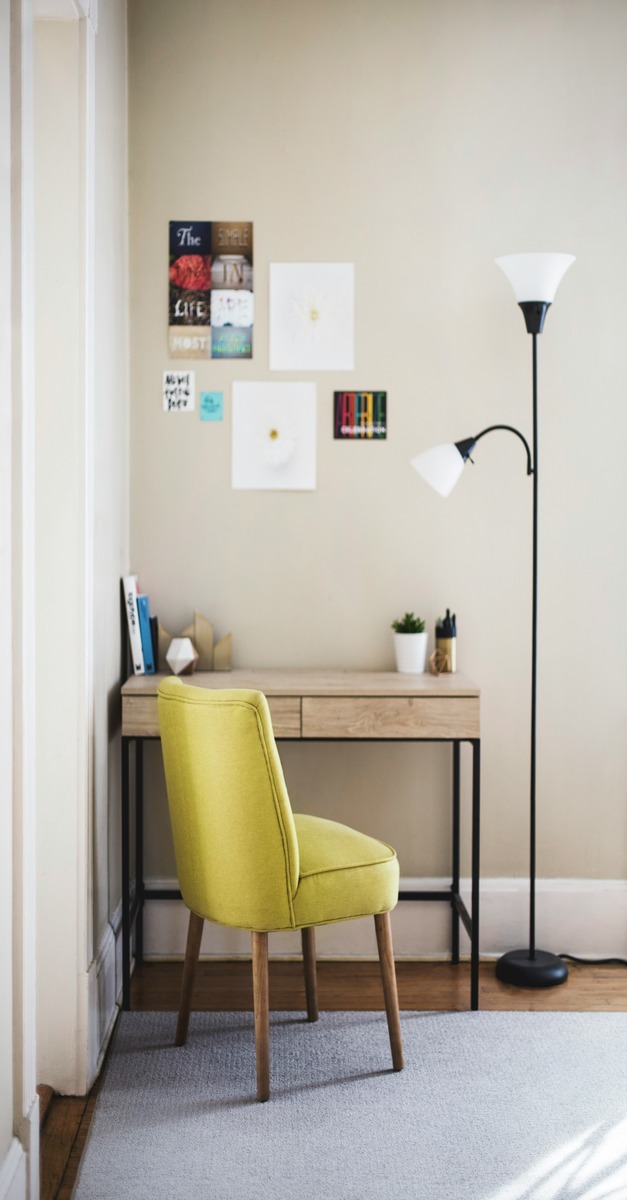
Embarking on a virtual assistant career or shifting to remote work doesn’t have to be a financial burden. As a beginner, it’s easy to get caught up in the lavish lifestyles of others. With a touch of creativity, you can create a comfortable and efficient workspace. Focus on the essentials to align with your budget and requirements. This guide walks you through affordable furniture. It covers essential tech, practical tools, and workspace tips to help you succeed from day one.
Choose a Dedicated Workspace That Works for You
Start by finding a quiet corner or repurposed existing furniture. A dining table can double as a desk. The goal is to create a dedicated spot that signals “work mode” to help you keep focus. Natural light is a bonus, but if that’s not possible, add budget-friendly lighting like a desk lamp.Use simple barriers like curtains or noise-canceling headphone, when in small or shared spaces, to minimize distractions, enhancing your productivity.
Budget-Friendly Furniture and Ergonomics
As a virtual assistant, you put in long hours. Comfort matters, especially with hours of desk work ahead. Use what you have. A sturdy chair with a cushion can suffice. Invest in an ergonomic chair when possible. You can find these chairs secondhand or on sale. For desks, consider used or refurbished tables that suit your space. Ergonomic setup prevents strain and boosts your energy, making it easier to work consistently without discomfort.
Essential Tech and Internet Setup
A reliable computer or laptop is non-negotiable. A refurbished or budget models work well for VA tasks. Don’t overlook that many VA roles can start with just a smartphone, making entry even more accessible. Secure a stable internet connection, ideally above 10 Mbps, to handle video calls and online tasks smoothly. Equip yourself with a quality headset and an external webcam to keep professionalism during client calls. In areas with frequent power outages, you should have a backup power source. A mobile hotspot can also save your day. These will keep you connected.
Free and Practical Software Tools
Optimize your workflow with free tools. Use Google Meet or Zoom for meetings. Utilize Trello or Asana for task management. Rely on Google Drive for file storage. These apps help you stay organized and communicate effectively without costing a dime. As your VA business grows, consider upgrading to paid versions for better efficiency. You also add invoicing and password management software for enhanced security.
Organize and Personalize Your Space
Keep your workspace tidy with simple organizers or affordable DIY solutions to avoid clutter, which can drain focus. Personalize your area with things that inspire you. You can have a favorite quote. Add a small plant. Choose a colorful mousepad. These can create a welcoming and motivating environment. For more creative and budget-friendly setup ideas, explore Pinterest boards packed with practical tips from fellow virtual assistants.
Staying Productive and Balanced
Maintain clear work-life boundaries by setting specific work hours and communicating these boundaries with household members. Establish routines that signal the start and end of your workday to manage motivation and prevent burnout. Ensure to track your working time effectively.Avoid multitasking too much; instead, focus on one task at a time, using techniques like Pomodoro to keep productivity high. Connecting with online VA communities can also provide support and reduce feelings of isolation.
Final Thoughts: Start Small, Grow Steadily
Your home office setup is a work in progress. Begin with what you have, and upgrade gradually as your budget allows. The key is to create a workspace that feels comfortable and functional without overwhelming your finances. Remember, even a simple smartphone can kickstart your VA journey. Stick around for more tips and resources tailored to help you grow and thrive in your virtual assistant career.

Leave a comment